เห็นจุดที่ควรดูแล วางแผนจากข้อมูล
ช่วยให้ฝ่ายทรัพยากรบุคคลและทีมโครงการเห็นภาพความเสี่ยงด้านการยศาสตร์ พร้อมให้พนักงานโฟกัสกับสิ่งที่ตนเองปรับได้
เห็นรูปแบบความเสี่ยงในองค์กร
ดูผลลัพธ์แบบภาพรวมเพื่อเข้าใจว่าความเสี่ยงเกิดขึ้นตรงไหน และกลุ่มใดควรได้รับการดูแล
จัดลำดับการดูแลจากข้อมูลจริง
ใช้คะแนน ROSA และอาการที่รายงานเพื่อเน้นคำแนะนำและการปรับปรุงในจุดที่เกี่ยวข้องมากที่สุด
ติดตามการเปลี่ยนแปลงหลังดำเนินการ
เปรียบเทียบรอบตั้งต้นกับรอบติดตาม เพื่อดูการเปลี่ยนแปลงของระดับความเสี่ยงและคำตอบของพนักงาน
ทำแบบประเมินตามขั้นตอน และได้ผลลัพธ์ที่นำไปใช้ได้
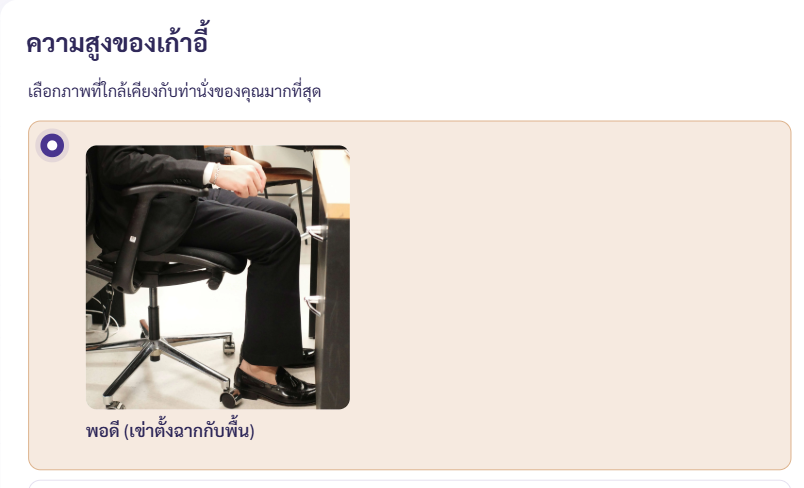
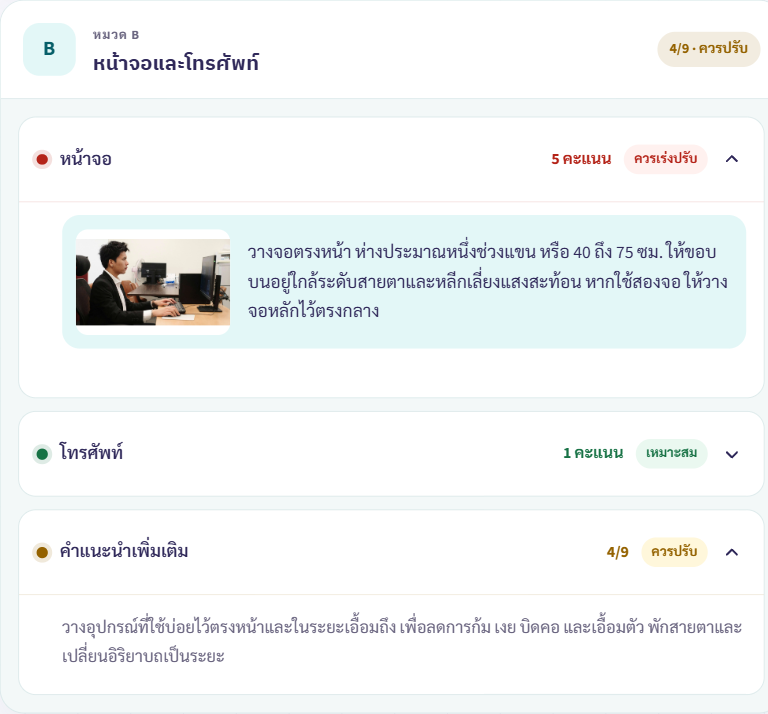
พนักงานตอบคำถามเกี่ยวกับเก้าอี้ จอภาพ โทรศัพท์ เมาส์ แป้นพิมพ์ ท่าทาง และระยะเวลาที่ใช้งานจริง จากนั้นดูคะแนนและคำแนะนำที่เกี่ยวข้องได้ในที่เดียว
ภาพตัวอย่างแสดงหน้าประเมินและผลลัพธ์ ระบบทดลองแบบโต้ตอบยังไม่เปิดให้บริการ
ประเมิน ปรับ แล้วกลับมาติดตาม
ErgoTrack ทำให้เส้นทางการประเมินเข้าใจง่ายสำหรับพนักงาน และใช้ประโยชน์ได้จริงสำหรับทีมที่ดูแลโครงการ
-
ประเมินสถานีงานปัจจุบัน
พนักงานทำแบบสำรวจ แบบทดสอบ และแบบประเมิน ROSA ที่กำหนดไว้ในรอบปัจจุบัน
-
ลงมือจากคำแนะนำที่เกี่ยวข้อง
พนักงานแต่ละคนดูคะแนนและคำแนะนำของตนเอง แล้วปรับจุดที่ควรได้รับการดูแล
-
ทบทวนผลลัพธ์ในรอบถัดไป
องค์กรเปรียบเทียบผลแบบภาพรวมระหว่างรอบตั้งต้นและรอบติดตาม เพื่อวางแผนการดูแลครั้งต่อไป
พนักงานได้รายละเอียดที่เป็นประโยชน์ องค์กรได้ภาพรวมสำหรับวางแผน
ประสบการณ์ใช้งานแยกรายละเอียดผลประเมินส่วนบุคคลออกจากมุมมองแบบภาพรวมที่ใช้วางแผนในระดับองค์กร
พนักงานเห็นรายละเอียดของตนเอง
พนักงานแต่ละคนดูผลประเมินและคำแนะนำทั้งหมดของตนเองได้
บริษัทเห็นผลลัพธ์แบบภาพรวม
ทีมขององค์กรใช้มุมมองแบบภาพรวมเพื่อเข้าใจรูปแบบความเสี่ยงและวางแผนติดตามผล
รองรับการติดตั้งระบบแยกสำหรับแต่ละบริษัท
ErgoTrack รองรับแอปพลิเคชันและฐานข้อมูลแยกสำหรับแต่ละบริษัท การแยกระบบนี้ไม่ได้หมายถึงการใช้เซิร์ฟเวอร์จริงเฉพาะบริษัท
คำถามที่พบบ่อย
ข้อมูลที่ทีมองค์กรและพนักงานมักต้องการทราบก่อนเริ่มใช้งาน
ErgoTrack ประเมินอะไรบ้าง
ErgoTrack ใช้ ROSA ประเมินปัจจัยของสถานีงานในสำนักงาน เช่น เก้าอี้ จอภาพ โทรศัพท์ เมาส์ แป้นพิมพ์ ท่าทาง และระยะเวลาการใช้งาน
แบบประเมินใช้เวลานานเท่าไร
พนักงานส่วนใหญ่ใช้เวลาทำแบบประเมินประมาณ 5–10 นาที
พนักงานและบริษัทเห็นข้อมูลอะไรบ้าง
พนักงานเห็นรายละเอียดผลประเมินและคำแนะนำทั้งหมดของตนเอง ส่วนบริษัทเห็นผลลัพธ์แบบภาพรวมสำหรับวางแผนและติดตามผล
สามารถแยกระบบสำหรับแต่ละบริษัทได้หรือไม่
ได้ แต่ละบริษัทสามารถใช้แอปพลิเคชันและฐานข้อมูล ErgoTrack แยกกัน โดยไม่ได้หมายถึงการใช้เซิร์ฟเวอร์จริงเฉพาะบริษัท